

Up to 8 people · you pick every pairing · one swap
Multiple Face Swap: Change Several Faces in a Group Photo or Video
Most face swap tools change the biggest face in the picture and leave you to hope it was the right one. A group photo needs more than that. Face Studio marks everyone it finds — up to 8 people in a photo or a video — and you decide, person by person, whose face goes where. Two friends trading faces, a whole crew on a poster, or one person left exactly as they are: you set each pairing, then every face is swapped together in a single run.
- Finding people is free
- Up to 8 people, you pick who
- AI-edited label on every result
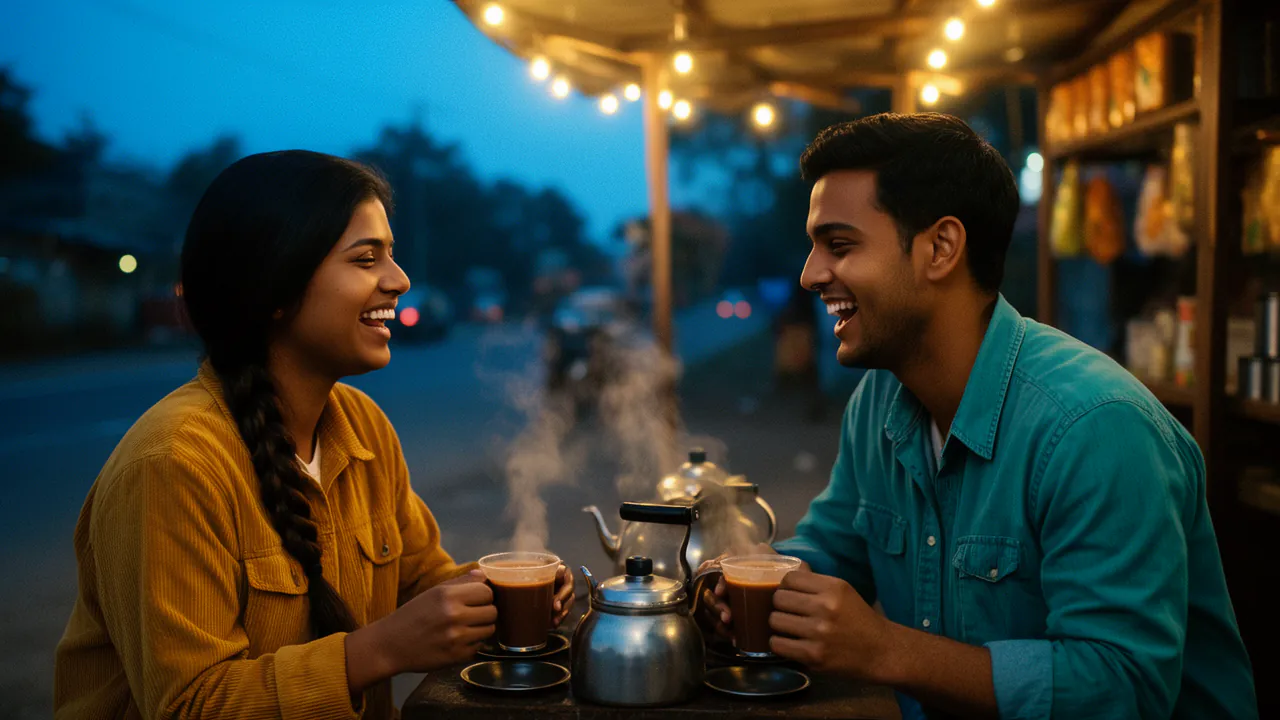
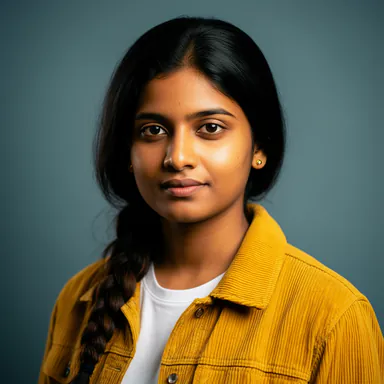 Meera
 Kabir
- Swap
- Enhance
- Age
- Expression
- Lip sync
Meera → Person 2 · Kabir → Person 1
- SwapYour face onto the person you pick
- EnhanceSharpen a soft or low-light face
- AgeYounger or older, one slider
- Expression9 sliders: smile, brows, eyes
- Lip syncA video says the audio you give it
Why group face swaps go wrong
Swapping one face is the easy case. With two, three or four people in the frame, three things usually go wrong.
The wrong person gets the face
Tools that swap automatically choose a face for you, often the largest or the closest. Face Studio marks every person it finds and changes only the people you pair.
Everyone gets the same face
Funny once, wrong for a cast. Each person can get a different saved face — and when you do want one face on everybody, Same face on everyone fills the rest in one tap.
You find out after the whole clip is made
On a video, swap one preview frame of a pairing first and look at it closely. Fix the face or the pairing before the clip is rendered.
How to swap multiple faces in one photo or video
Five steps. Finding the people in the picture is free.
Save the faces
Add each face to My faces once, from 1 to 10 photos or a short video of the person, and say whose it is: your own as an adult, an adult who gave you permission, or a face that is not a real person.
Add the group photo or video
Upload it, or paste a link from YouTube, TikTok, Instagram, Facebook, Vimeo, X, Twitch or Dailymotion to a video you made or have permission to use.
Tap a person, pick their face
Face Studio marks up to 8 people. Tap one, choose the face they get, then move on to the next. Choose Don’t swap them for anyone who should stay as they are.
Check a frame
On a video, preview one frame of the pairing you are setting and look at the eyes, the hairline and the edges of the face.
Swap everyone at once
The button says how many people will change — “Swap 3 people” — and every pairing is made in the same run. The result opens with a before-and-after slider.
What you control in a group swap
Nothing in the picture changes unless you chose it.
Each person, their own face
Pair up to 8 people with different saved faces, all in one swap. The price is the same whether you change one person or all of them.
Same face on everyone
Put one face on every person found — for a running joke, a music video full of clones or a sketch about look-alikes.
Leave someone alone
Don’t swap them takes a person out of the swap, so whoever did not agree to be changed stays exactly as they are.
Faces built from several photos
A face saved from up to 10 photos holds up better than one selfie when heads turn in a moving group shot.
Group photos and group videos
A photo is swapped in one go. A video swap covers up to 600 seconds; a longer video is offered in parts of up to 600 seconds, you swap them one at a time, and the people are found again in each part you pick.
The photo or video has to be at least 256 pixels on its shorter side. Faces that are large, sharp and turned towards the camera swap best; someone tiny in the back row of a crowd shot gives the weakest result.
What people use multiple face swap for
A few jobs it does well — with faces everyone in the picture agreed to.
Friends trading faces
Swap two or three friends with each other in a holiday photo or a short clip, for the group chat.
A cast for a short film or sketch
Put your crew’s faces on the characters of a scene you are making, each person on their own role.
A poster for the team
Put everyone onto a poster-style group picture you made, each face in its own spot.
Rescue the group shot
When one person blinked in the best photo, swap in their face from another shot of the same moment — or open their eyes with the Expression edit.
Consent covers everyone in the picture
A group photo holds more people who never asked to be edited, so the rules matter more here, not less.
A consent statement for every saved face
Each face you add says whose it is. A face goes onto someone in a group photo only because you stated you may use it.
Labelled as AI-edited
Every result carries an invisible watermark and a C2PA content credential saying it was edited with AI.
Minors are refused
Faces that appear to be minors are refused by the content checks, and no setting turns that off.
Reports are acted on
Anyone can report a result, and results that break the terms are taken down.
Uploads kept for a day
Uploaded photos and videos are deleted after 24 hours. Saved faces stay until you delete them.
Questions
More from Face Studio and FloStudio
Pick the face. Pick the person. Check it before you commit.
Sign in to start. Finding the people in a photo or video is free.